Built for human planners and AI agents

The AI-agent-ready weekly planner.

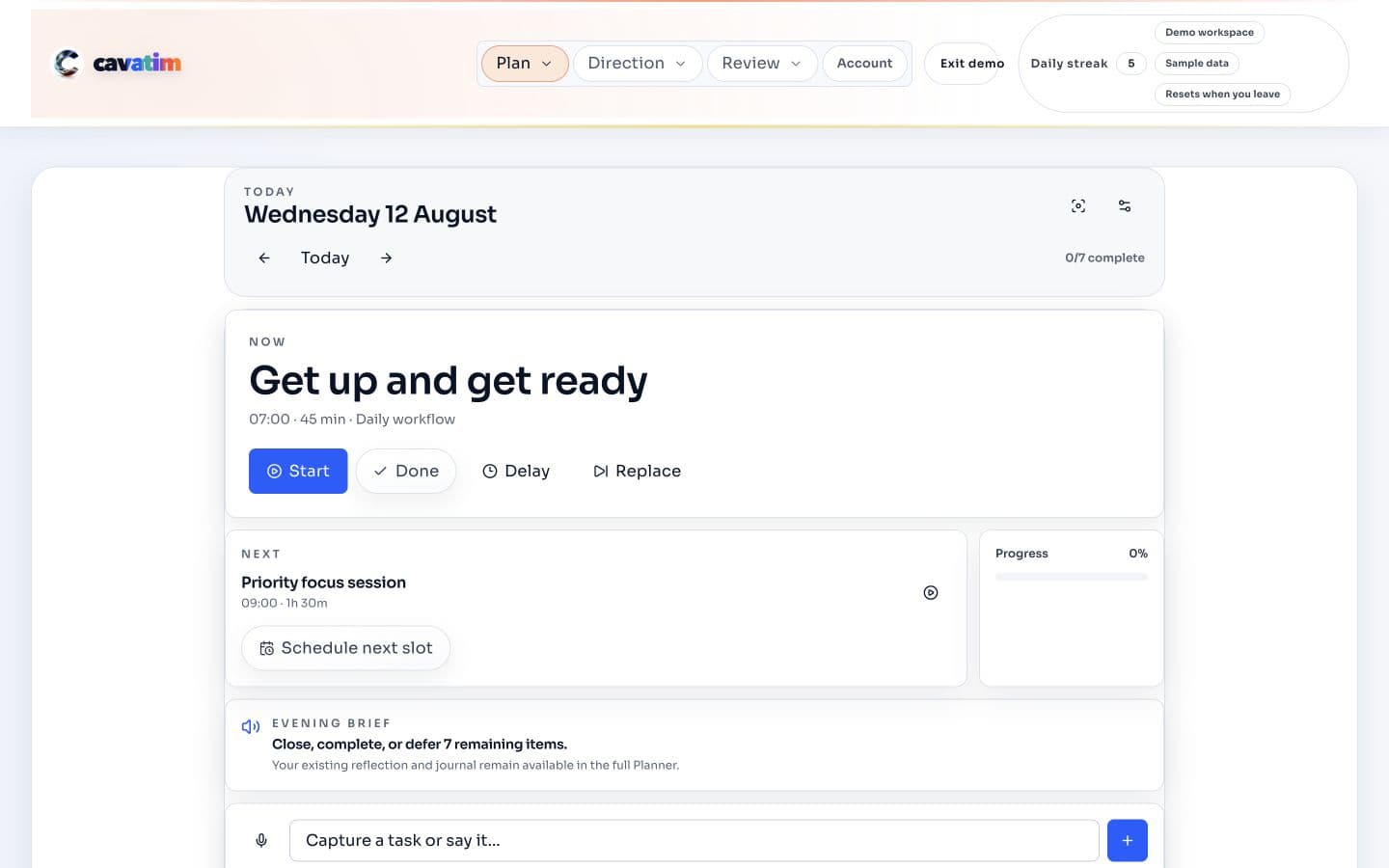
Open Cavatim in Codex, sign in, and let an AI agent plan goals, recurring tasks, roster constraints, and calendar commitments in the same live planner you use yourself.

Time block the full week before you overload it.

Pull Google Calendar and Outlook into the same weekly planner, see meetings, work, and free space together, then place tasks where they can actually fit.

Cavatim weekly planner showing calendar meetings, planned tasks, daily load, and remaining capacity.

What to notice

Meetings, planned work, and free space stay on the same canvas while you place the rest of the week around them.

Without Cavatim

You say yes before the full week is visible.

  • Meetings, tasks, and goals live in separate tools.
  • You only spot the overload after the calendar is already full.

With Cavatim

You can time block around real capacity.

  • Your month, week, and day stay connected in one planner.
  • Google and Outlook calendars sit beside planned work and free time.
  • Daily changes can move without disconnecting the rest of the week.

Connected calendars

Connect Google Calendar and Outlook so real commitments shape the plan first.

Google Calendar
Outlook Calendar

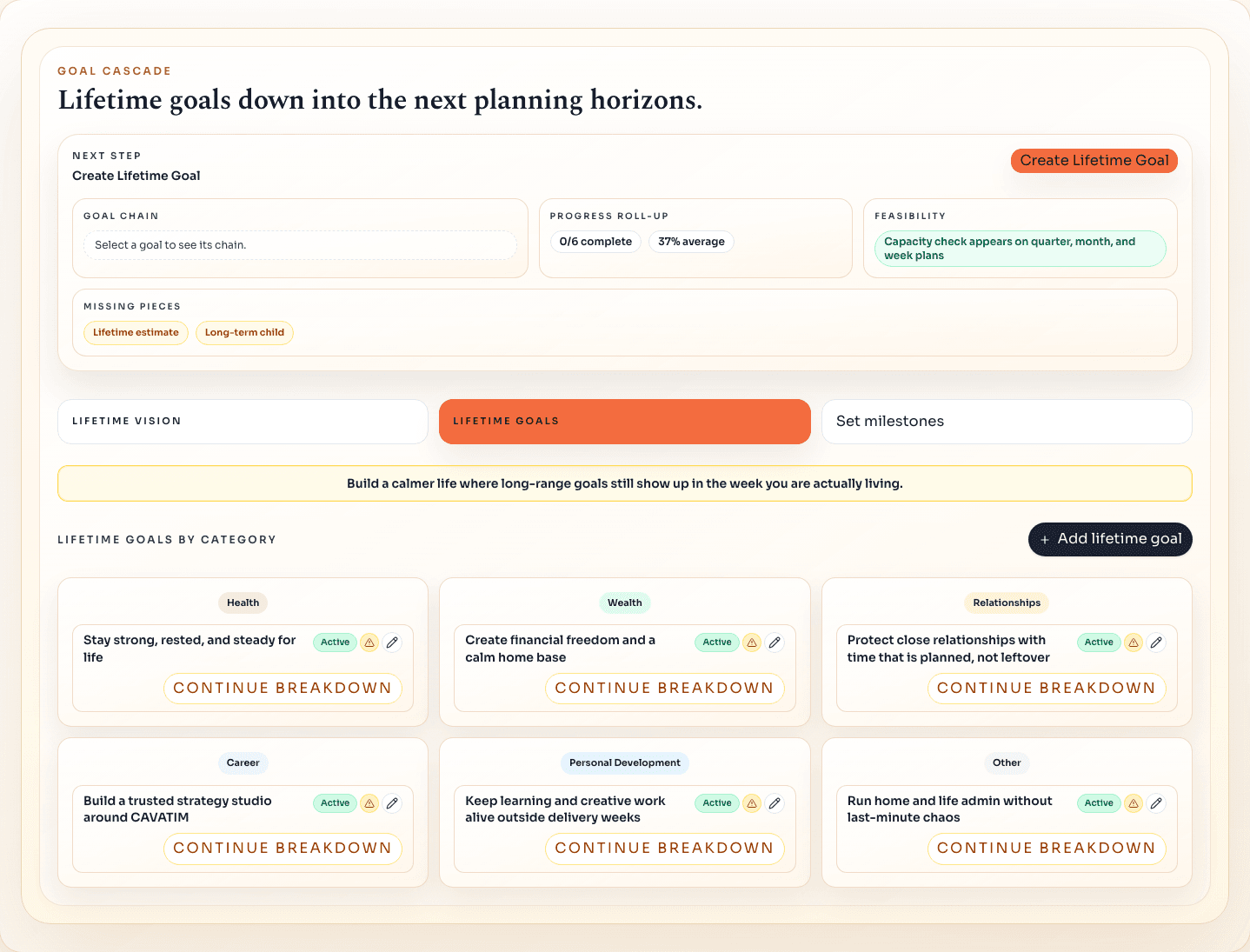
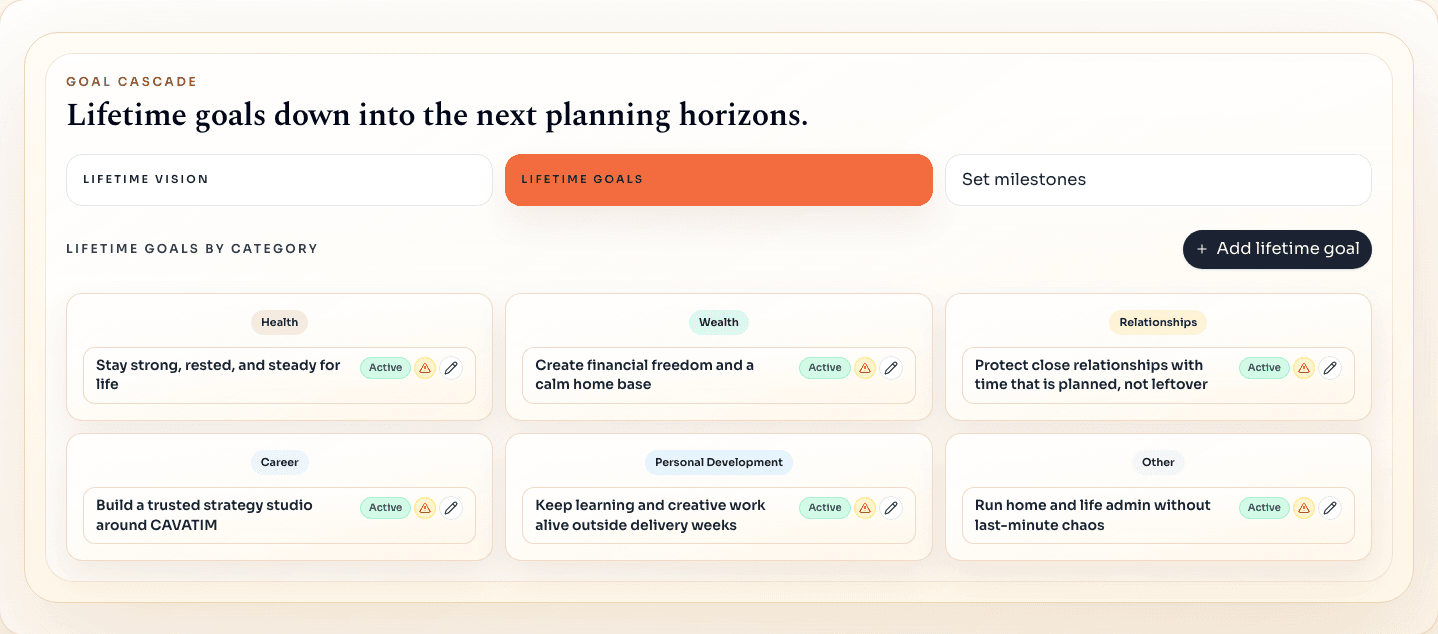
Turn lifetime goals into the week you are about to live.

Start with the life you want, choose the goals that support it, set milestones, then let the planner pull the right work into the year, quarter, month, week, and day before analytics show what moved.

Lifetime vision

Start with the life your weekly plan should support.

Use the lifetime vision step to make the goal planner app serve a clear direction, not just the loudest task.

Begin with the bigger picture

Keep the supporting pieces in the same weekly planning system.

Templates, recurring work, calendars, habits, prioritisation, and quick capture stay right beside the planner so the bigger goal plan survives real life.

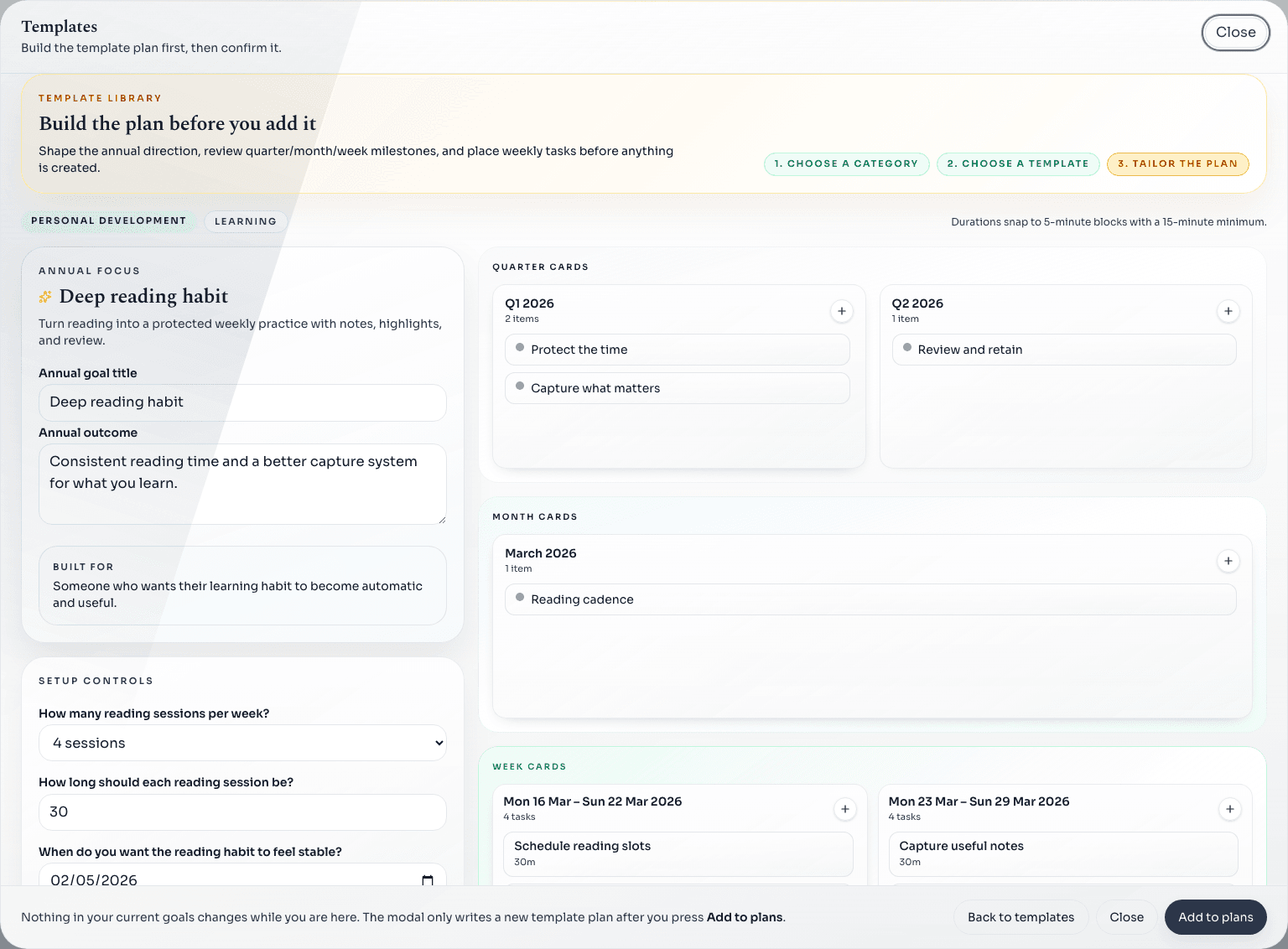
Templates

Start faster from a proven planning structure.

Use templates to answer prompts, sketch milestones, and get the first weekly plan in place quickly.

Recurring tasks

Keep recurring tasks visible before they crowd the week.

Bills, cleaning, admin, and other recurring work stay in the same planner until you place them.

Calendar sync

Pull real calendar availability into the same plan.

Bring in Google and Outlook calendars so meetings, appointments, and free space shape the week from the start.

Habits

Keep routines tied to the reason they matter.

Habits stay attached to the bigger plan, so they are harder to quietly drop when life gets busy.

Prioritisation matrix

Sort urgency and importance before everything feels urgent.

Use the matrix to see what deserves protected time first and what can stop crowding the weekly plan.

Planner notepad

Capture loose thoughts before they disappear.

Drop tasks, reminders, and ideas into one place until you are ready to place them properly.

Check month, week, and day without losing context.

Three quick planner views show whether the week still works before you commit more time.

Cavatim monthly planner showing milestones, calendar events, and weekly focus areas before tasks are scheduled.

Month context

See the month around the week.

Check milestones, events, and focus areas before the weekly plan becomes too narrow.

Month + week together

The planner designed to be used by AI agents.

Open Cavatim in Codex, sign in, and make Codex your planning operator. It can inspect the live planner, restructure goals, import roster constraints, create tiny next actions, and keep the week aligned while you stay in control.

Agent-ready workflow
Cavatim
Codex

Open in Codex

"Open Cavatim, sign in to my account, and inspect the goals, recurring tasks, calendar blocks, and notepad."

Delegate the plan

"Plan tomorrow around my roster, protect recurring tasks, and break the Cavatim launch work into 30-minute blocks."

Review the agent run

Codex works through the same planner pages you use, updates the live schedule, and reports exactly what changed.

* Agent operation depends on the access and instructions you give Codex. You stay in control of account credentials, approval, and final changes.

Why agent-ready matters

Login contextUses your signed-in Cavatim workspace, not a generic blank plan
Agent actionsCan add, reorder, and refine goals, tasks, notes, and planner blocks
Human controlYou review the plan, mark work complete, and feed back what really happened

Review missed work and get coached forward.

At the end of the day you explain missed tasks, keep the lesson, and let the AI coach turn the week into patterns you can act on next time. Trophies keep wins visible, while data export and backups keep the planning workspace portable.

Connected calendars

Google + Outlook in the same week

Meetings and real availability show up inside the planner instead of beside it.

Backup + export

Your data stays yours

Restore the plan if you need to, or export planner data without rebuilding it.

Phone, tablet, desktop

One system everywhere

The same account keeps the planner in reach wherever the week changes.

Reflection Center

Review missed work while the day is still fresh.

Missed work lands in the reflection queue. Capture what got in the way, choose the adjustment, and turn the next action back into the plan.

Cavatim reflections page showing a missed-task reason beside AI trigger insights and coached adjustments.

AI coach

Get AI coaching from real weekly patterns.

The AI coach reads reflection themes, spots repeated triggers, and turns the week into the next changes worth making.

Streaks

21

longest streak

Current: 9 days

Next: 30 days.

3 weeks

Goals

12

goals finished

Annual + milestone wins

Next: 25 goals.

10 goals

Lifetime

2

goals completed

Big wins visible

Next: 3 lifetime.

2 goals

Trophy cabinet

Keep streaks and completed goals visible.

Daily streaks, completed goals, and bigger milestones stay visible in one place so progress feels worth protecting.

Weekly planner pricing: start free for the live week. Go Pro for goal planning, recurring tasks, AI coaching, and voice scheduling.

Free covers your week, day, calendars, analytics, backups, and data export. Pro adds longer-term goal planning, recurring tasks, weekly reflections and journalling that feed an AI coach, and voice scheduling. The same subscription works across mobile, tablet, and desktop, with a 14-day free trial on monthly or yearly.

Free

£0

Week-to-week planning

Plan your week and day in one place, with calendars, analytics, backups, and data export included from the start.

  • Plan your week and day with Google or Outlook calendars in one place
  • Use analytics, backups, and planner data export from the start
  • Start free and see if the planner fits your life

No card needed

Start free right away and keep your plan backed up.

Pro

$9.99

/ month

Goal planning and accountability.

Add longer-term goal planning, recurring tasks, voice scheduling, and weekly reflections that feed an AI coach.

  • Turn bigger goals into the week ahead with templates and milestone planning
  • Use reflections and journalling to get AI coaching on patterns and areas to improve
  • Keep recurring tasks, habits, and voice scheduling in the same planner